Reaper Tutorial: Crafting Guitar Tones with RiffChain (Beta)
Learn how to create professional guitar tones in Reaper using RiffChain (Beta). Discover signal chain building, amp and cab simulation, automation, and mixing techniques to elevate your guitar productions.
Reaper Tutorial: Crafting Guitar Tones with RiffChain (Beta)
Reaper is a powerful and flexible DAW, beloved by many producers for its customization and efficiency. When it comes to shaping guitar tones, combining Reaper’s routing capabilities with our RiffChain (Beta) modular guitar effects plugin opens up a world of sonic possibilities. This tutorial will guide you through setting up RiffChain in Reaper to craft professional, stadium-ready guitar tones.
Why RiffChain (Beta) in Reaper?
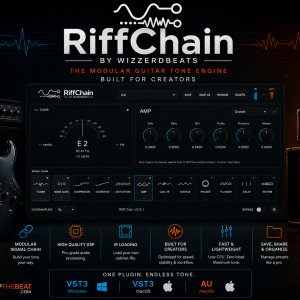
RiffChain (Beta) is a versatile plugin that allows you to chain various guitar effects modules, including amps, cabinets, distortion, modulation, and more, in any order. Reaper’s intuitive routing and low latency make it an ideal host for RiffChain, enabling real-time tone sculpting and creative experimentation. Best of all, RiffChain is currently available for $0.00 from Shop The Beat.
Step-by-Step: RiffChain in Reaper
1. Insert RiffChain on Your Guitar Track
First, record or import your guitar track into Reaper. On the track’s FX chain, add the RiffChain (Beta) plugin. You can find it in your VST plugin list and insert it directly onto your guitar channel.
2. Build Your Signal Chain
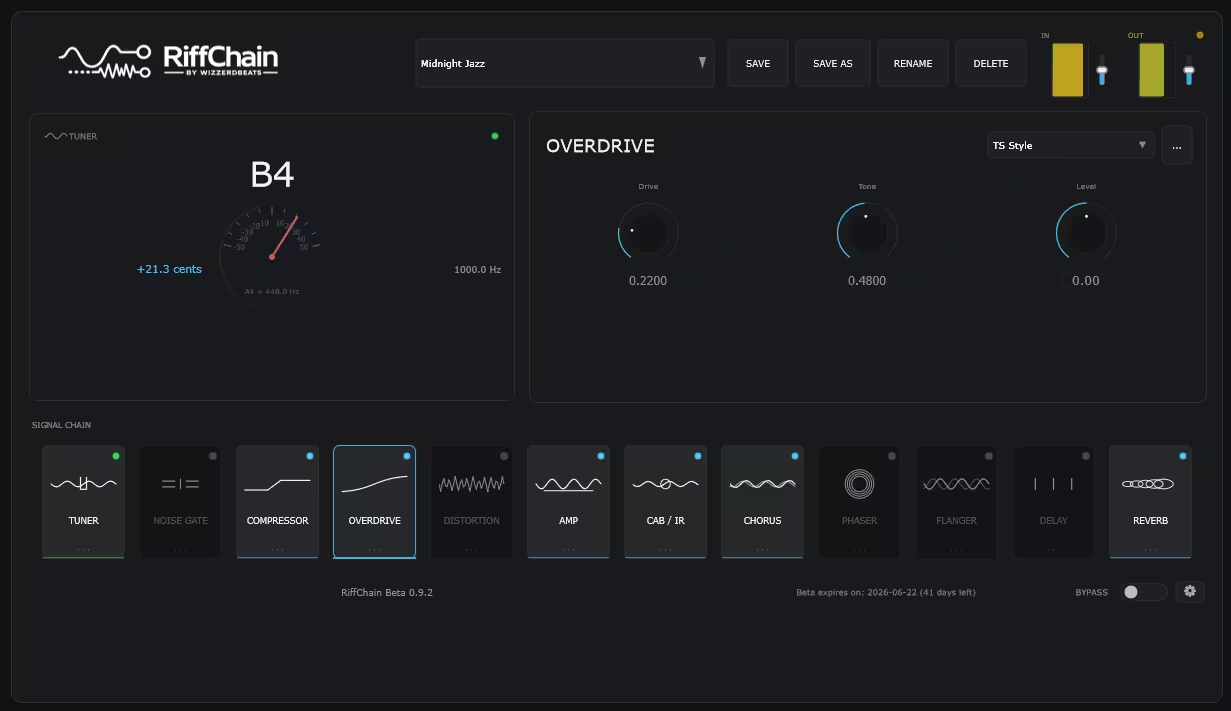
Within the RiffChain interface, start building your desired signal chain. A typical guitar chain might include:
- Tuner: For accurate tuning.
- Noise Gate: To eliminate unwanted hum and hiss.
- Compressor: To control dynamics and add sustain.
- Overdrive/Distortion: To add gain and character.
- Amp Simulator: To shape the core guitar tone.
- Cab/IR Loader: To emulate speaker cabinets and microphones.
- Modulation Effects: Such as chorus or flanger for movement and depth.
- Delay and Reverb: To create space and atmosphere.
Experiment with different module orders, as changing the signal flow can dramatically alter the final sound.
3. Fine-Tune Your Amp and Cab Settings
The Amp and Cab/IR modules are the foundation of your tone. Spend time adjusting gain levels, EQ controls, cabinet choices, and microphone positioning. Reaper’s routing flexibility also allows you to compare presets quickly or run parallel guitar processing chains for unique tonal blends.
4. Use Reaper’s Native Effects for Post-Processing
While RiffChain provides a complete guitar processing environment, Reaper’s built-in effects can help refine your sound further:
- ReaEQ: For precise frequency shaping.
- ReaComp: For additional compression and dynamic control.
- ReaDelay: For custom delay effects.
- ReaVerb: For advanced reverb processing and shared effect buses.
Combining RiffChain with Reaper’s stock plugins can produce highly polished, professional guitar mixes.
5. Automate for Dynamic Performances
Reaper’s automation tools allow you to create evolving guitar sounds throughout a track. Automate parameters such as distortion gain, modulation depth, delay feedback, or amp settings within RiffChain to add movement, excitement, and dynamic transitions to your productions.
Elevate Your Guitar Production with Shop The Beat
By leveraging the power of Reaper and the versatility of RiffChain (Beta), you can achieve virtually any guitar tone imaginable. Whether you’re aiming for crystal-clear cleans, ambient textures, classic rock crunch, or modern high-gain tones, RiffChain provides the tools while Reaper delivers the flexibility.
Explore more premium plugins, beats, and production tools at Shop The Beat to continue expanding your sonic palette.