How to Get Professional Guitar Tones at Home (Using Riffchain)
Discover how to get professional guitar tones at home using RiffChain. Learn the exact signal chain secrets from noise gates to custom IR loaders.
Recording guitars at home used to mean fighting with loud amplifiers, expensive microphones, and treated rooms. Today, you can get stadium-ready tones right from your desk. However, many producers still struggle with muddy, lifeless, or noisy direct-input (DI) tracks. If you want to transform your bedroom recordings into professional-grade tracks, the secret lies in your signal chain. Here is a step-by-step guide to dialing the perfect tone using RiffChain, the modern modular guitar tone engine.
1. Start with a Clean Signal (The Foundation)
Before adding massive distortion or lush reverbs, you need to fix the basics. A professional tone requires two things at the very beginning of your chain:
- A Precise Tuner: Even a slightly out-of-tune guitar will ruin a mix.
- A Noise Gate: High-gain pickups pick up electromagnetic interference from your computer. A noise gate cuts the hum without killing your sustain.
2. Control the Dynamics with Compression
Guitars naturally have sharp transient peaks. Adding a compressor early in your signal chain helps even out your playing, making clean parts sound punchy and distorted parts sustain longer.
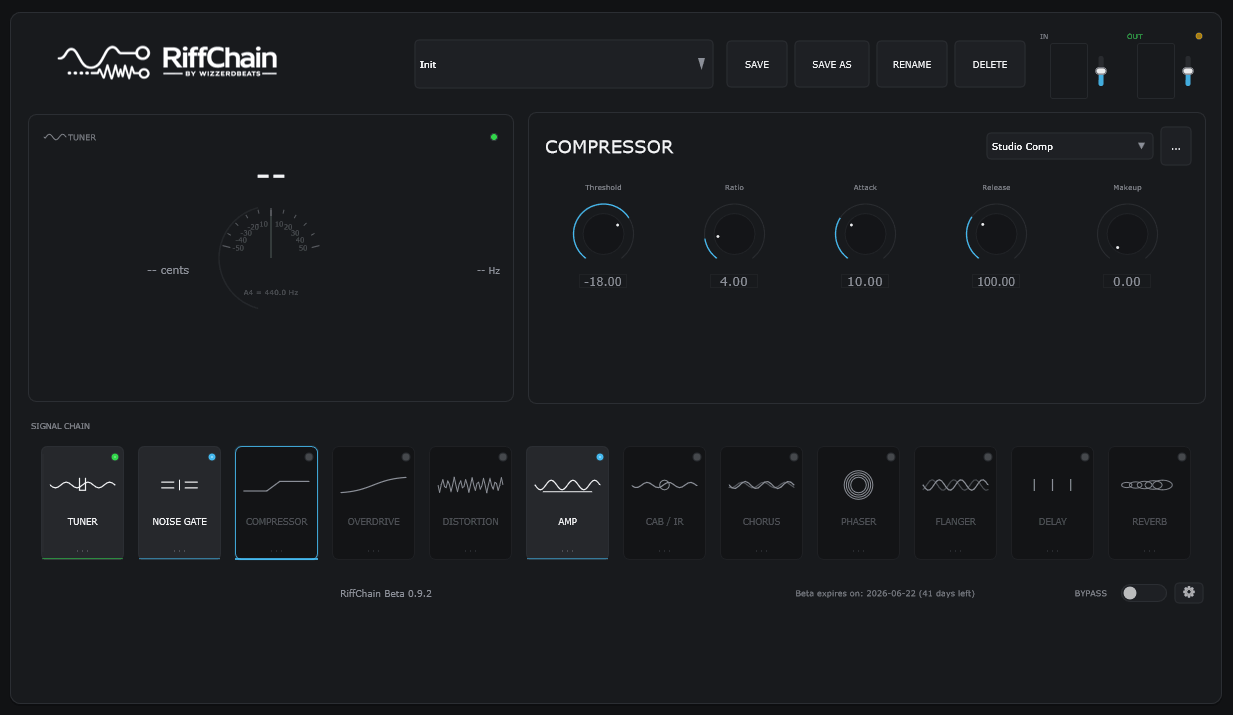
Adjusting the “Studio Comp” in RiffChain to even out the dynamics before saturating the signal.
3. Choose the Right Overdrive & Distortion
Instead of cranking the gain on your amplifier, professional mixing engineers use an overdrive pedal (like a TS-Style) to boost the signal going into the amp. This cuts the muddy low-end and tightens up your riffs.
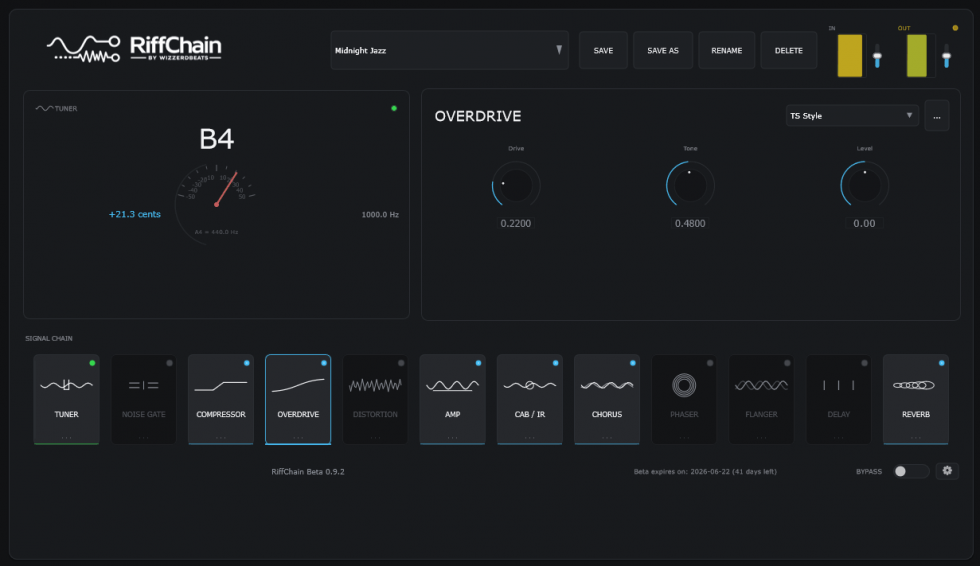
The RiffChain Modular Overdrive lets you boost the midrange frequencies so your guitar stands out in the mix..
4. Shape the Core: Amp Simulation & IRs
The amplifier defines your character (Clean, Crunch, or High-Gain), but the speaker cabinet defines 80% of your final tone. RiffChain’s built-in Amp Simulator and custom Cabinet IR (Impulse Response) loader allow you to replicate real-world microphone placements perfectly.
Why RiffChain is Built for Your Home Studio
- Modular Signal Chain: Drag and drop your effects in any order you want.
- Fast & Lightweight: Zero bloat and low CPU usage, meaning no annoying latency while recording.
- All-in-One Suite: From the tuner to spatial reverbs, everything is right in front of you.
Ready to level up your home recordings? Download the RiffChain Beta today and start experimenting!